
We've given our website a fresh new look! It's faster, smoother, and easier to use — but we know change can feel a little unfamiliar at first, especially for our loyal regulars. So we've put together this simple, step-by-step guide to walk you through placing your first order on the new site.
📌 Regular customers, read this first! The new website looks and works a little differently from the old one. Don't worry — placing an order is still quick and easy. We've added notes throughout this guide to flag anything that's changed, so you know exactly what to expect.
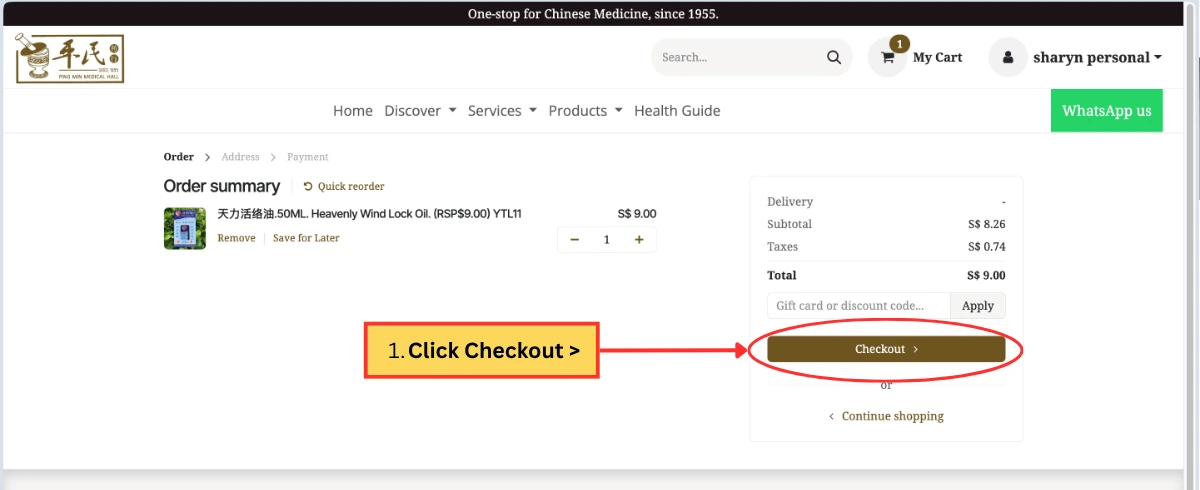
Step 1: Add Your Items to Cart and Check Out
Browse our products and add everything you'd like to order into your cart. Once you're done, click "Checkout" to begin the ordering process.
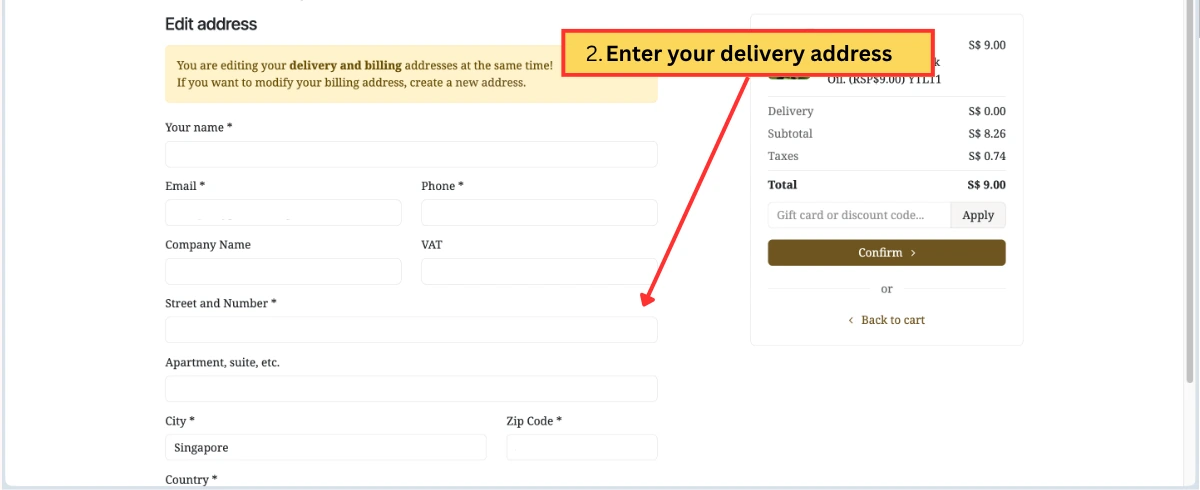
Step 2: Enter Your Address
Fill in your address details so we know where to send your order.
📌 Regular customers, you can create an account to save future hassle!
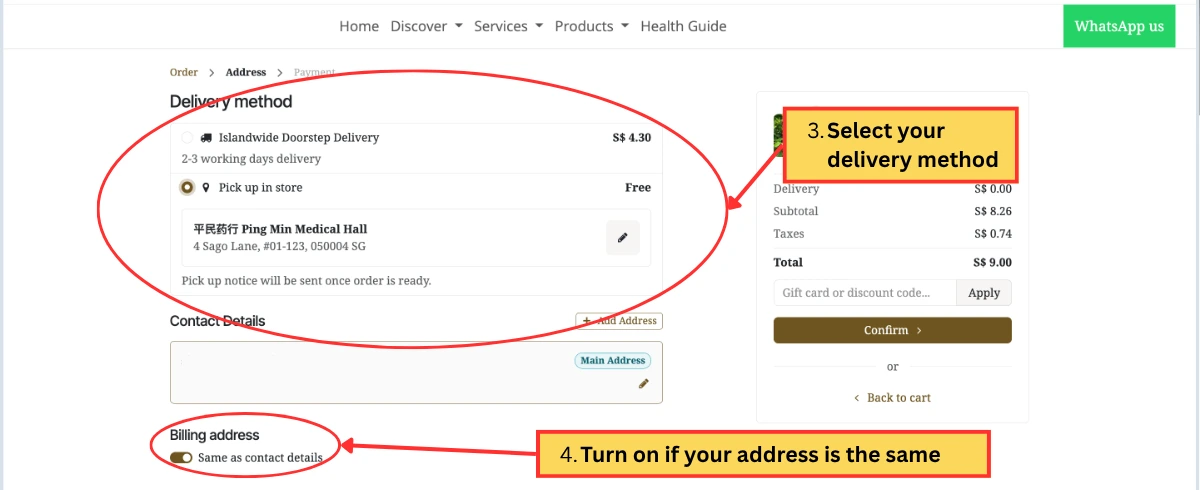
Step 3: Choose Your Delivery Option
Select how you'd like to receive your order:
- 🚚 Islandwide Doorstep Delivery — we'll deliver straight to your door
- 🏬 Pick Up In Store — collect your order at our store at your convenience
Step 4: Enter Your Billing Address
Next, fill in your billing address.
💡 Handy shortcut: If your billing address is the same as the address saved in your contact details, just switch on the toggle button at the top of this section — it will fill in the fields for you automatically. No need to type it out twice!
Double-check that everything looks correct, then click "Confirm" to proceed to payment.
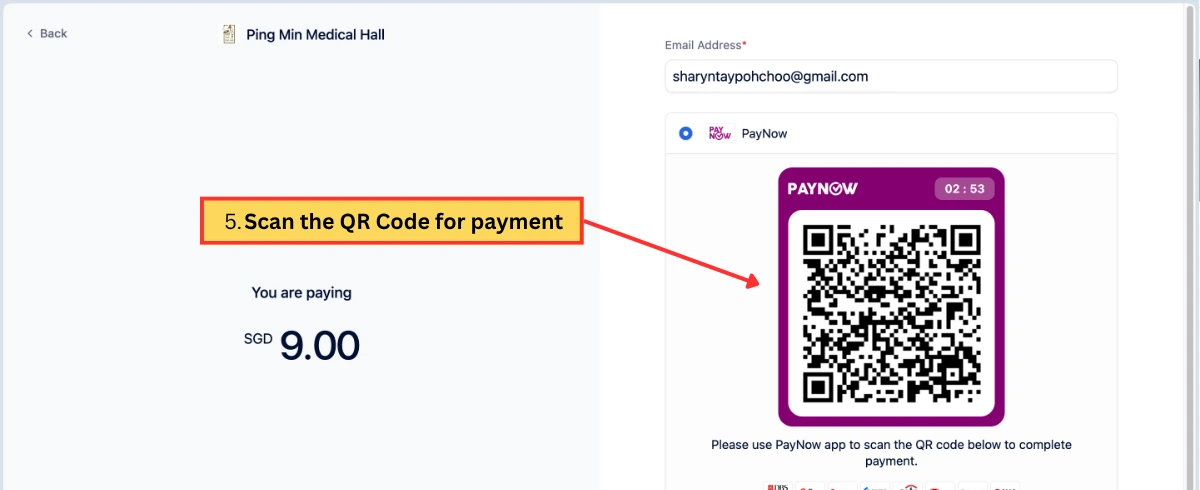
Step 5: Payment via PayNow
A QR code will appear on your screen. Check the payment amount and simply open your banking app, scan the QR code, and complete your payment using PayNow.
✅ You're Done!
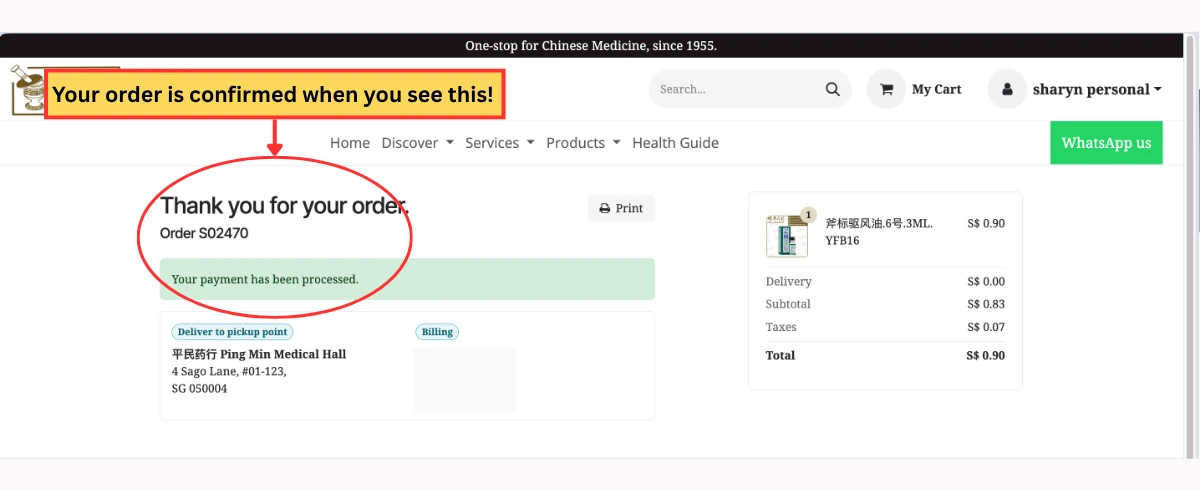
Once your payment goes through, keep an eye out for the confirmation message:
"Thank you for your order!"
This means your order has been successfully placed. 🎉
📌 A Quick Notice for Our Regular Customers
We want to make sure a couple of changes don't catch you off guard:
- New order numbering format: With our system upgrade, order numbers now look a little different. For example, an order that used to be numbered "Order No. 1792" will now appear as "Order S02470". This is completely normal — just a new format, nothing to worry about!
- Order history temporarily unavailable: For the time being, you won't be able to view your past order history on the website. We're working on bringing this feature back soon. In the meantime, if you need details on a previous order, just message us on WhatsApp and we'll be happy to help.
Thank you for your patience as we roll out these improvements — we're doing this to serve you better! If you have any questions or run into any issues while ordering, don't hesitate to reach out to us on WhatsApp. 🤎